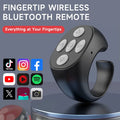
⏳Fingertip Wireless Bluetooth Remote Control
⏳Fingertip Wireless Bluetooth Remote Control
🔄 Returns Accepted Within 30 Days
⭐ Quality You Can Trust
❤️ Your Satisfaction Matters


BUNDLE & SAVE
Couldn't load pickup availability
-
Ordered
- - -
Order Ready
- - -
Delivered

⏳Fingertip Wireless Bluetooth Remote Control


Your Phone.
Your Fingertips.
Meet the Fingertip Wireless Bluetooth Remote Control — a compact wearable controller designed to make everyday phone interactions easier.

Control More With Less Effort
A wearable remote that puts useful phone controls within easy reach, whether you're scrolling, reading or taking photos.
Less Reaching. More Enjoying.
Scrolling through videos, turning pages or taking a photo can mean repeatedly reaching for your phone.
This fingertip remote gives you another way to interact with supported phone functions, helping make those small everyday actions feel more convenient.
- Navigate supported short-video content
- Control compatible reading and comic apps
- Take photos remotely on supported devices
- Use selected playback and volume controls
Useful Controls at Your Fingertips
Explore the everyday functions described on the product listing. Actual operation can vary by phone model, operating system and app.
Scroll Up & Down
Move through supported video feeds and content with remote input.
Remote Selfies
Trigger compatible phone camera functions without holding the phone.
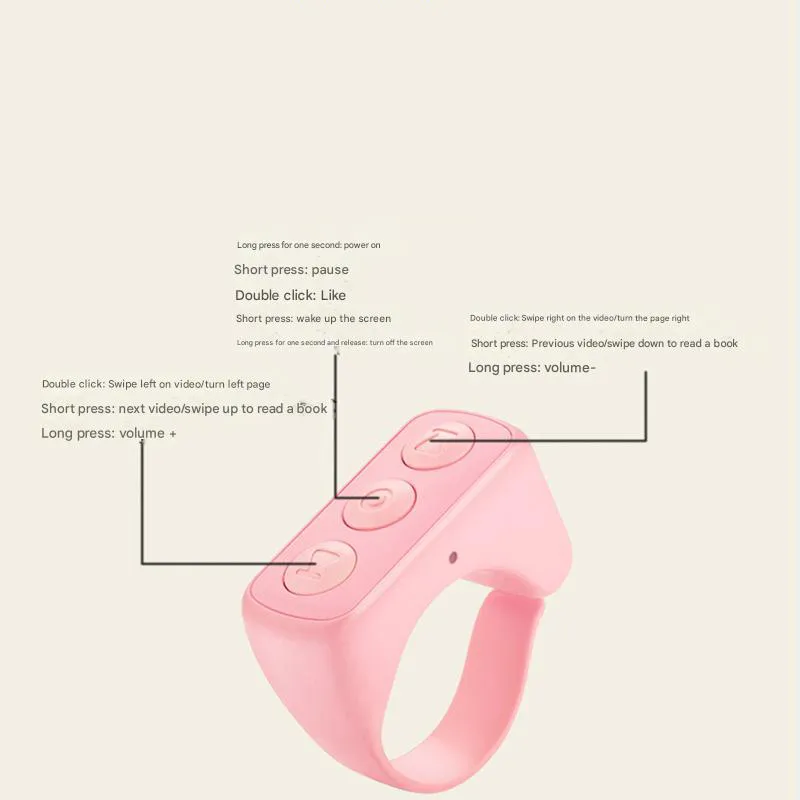
Quick Likes
Use the listed double-tap interaction in supported applications.
Playback Control
Pause and play supported media with convenient remote input.
Page Navigation
Navigate compatible reading, comic and browsing experiences.
Volume Control
Adjust volume on supported devices and applications.
A Small Ring That Fits Into Your Routine
The ring-shaped design is made to be worn on your finger, keeping the controller close at hand without needing to hold a separate remote.
- Compact fingertip-worn form
- Lightweight design described by the product listing
- Convenient for everyday phone interactions
- Available in black, pink and white options
Check the selected version and product specifications for the exact dimensions and included accessories.
↑ CHOOSE YOUR COLOR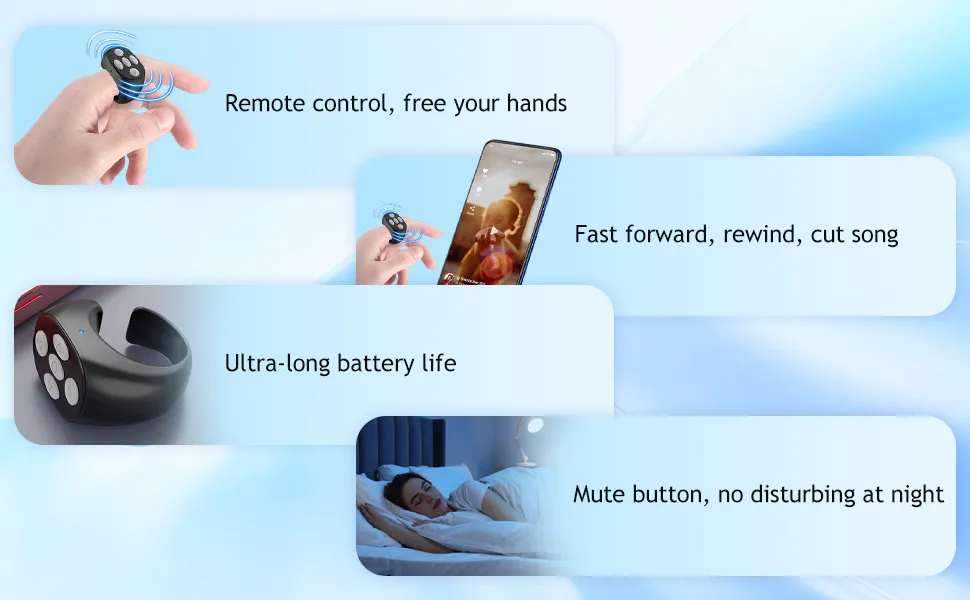
Small Details. Thoughtful Design.
Take a closer look at the remote's appearance, form and different product details.


What Would You Use It For?
Select a use case to explore how the fingertip remote can fit into different daily activities.
Enjoy Your Video Time
Browse supported short-video feeds and navigate content with remote scrolling controls, helping reduce the need to repeatedly reach for the screen.
Capture Moments More Conveniently
Use compatible camera functions to take photos remotely. It can be useful when positioning your phone for a selfie or group picture.
Turn Through Your Reading
Navigate supported reading and comic applications with compatible page-control functions, making longer reading sessions more convenient.
Get Started in 3 Steps
Follow the basic connection flow. Exact pairing and button behavior may differ between the new and old versions.
Charge Your Remote
Charge the device using the included USB cable according to the instructions for your selected version.
Connect via Bluetooth
Enable Bluetooth on your compatible phone and follow the product manual to pair the remote.
Start Using It
Open a supported app and try the available scrolling, photo, page or media controls.
Check Your Device Compatibility
The product page describes different compatibility ranges for the new and old versions. Select your device type below to review the listing information.
Know the Details Before You Buy
The following specifications are transcribed from the linked product listing. New and old versions are listed separately.
New Version
Old Version
The approximately 48-hour usage time is stated for the new version on the source listing and should not be assumed for the old version. Actual performance may vary with use and device conditions.
Everything You Need to Get Started
The linked product listing describes the following package contents:
- Fingertip remote control — quantity according to selected set
- USB cable — quantity according to selected set
- User manual — quantity according to selected set
Please check the selected bundle and current product options to confirm the exact quantities included in your order.
↑ SELECT YOUR SETFrequently Asked Questions
A few things to know before choosing your fingertip remote.
What can this Bluetooth remote control do?
The product listing describes scrolling through supported short videos, taking photos, double-tap likes, playback control, page navigation and volume adjustment. Functions depend on device and app compatibility.
Does it work with both iPhone and Android?
The new version is described as compatible with most mobile phones. The old version is listed for Apple devices and selected Android phones. Please verify your specific model and application before purchasing.
What is the difference between the new and old versions?
The listing specifies Bluetooth 5.3 and a built-in 30mAh battery for the new version. The old version is listed with Bluetooth 5.0, a 25mAh ring battery and a 250mAh charging case.
How long can the new version be used?
The product listing states approximately 48 hours of continuous operation for the new version. Actual usage time can vary depending on operating conditions.
How do I connect the remote?
Enable Bluetooth on your phone, power on the remote and follow the pairing instructions in the included manual. Exact pairing steps may vary by version.
Can I use it with every app?
Not necessarily. The listing describes support for mainstream applications, but individual functions can vary by app, operating system and phone model.
What colors are available?
The product page lists black, pink and white options. Availability depends on the current product variants.
What comes in the package?
The listing describes a fingertip remote control, USB cable and user manual. The exact quantity depends on the selected one-piece or multi-piece set.
Keep Control Close at Hand.
From scrolling and reading to taking photos, explore a more convenient way to interact with your compatible phone.
↑ GET YOUR FINGERTIP REMOTE