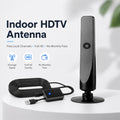
HD TV Antenna – No Subscription, Easy Setup
HD TV Antenna – No Subscription, Easy Setup
🔄 Returns Accepted Within 30 Days
⭐ Quality You Can Trust
❤️ Your Satisfaction Matters
BUNDLE & SAVE
Couldn't load pickup availability
-
Ordered
- - -
Order Ready
- - -
Delivered

HD TV Antenna – No Subscription, Easy Setup


Enjoy Local TV Without Another Monthly Antenna Fee.
Discover a simple way to receive available local over-the-air television broadcasts. This indoor HD TV antenna connects to a compatible television, helping you enjoy local news, weather, sports and everyday entertainment without an additional antenna subscription.
- No Monthly Antenna Subscription
- Indoor Digital TV Reception
- HD Broadcast Support
- Simple Connect & Scan Setup
- Compact, Space-Saving Design
A Simpler Way to Enjoy Television.
An easy-to-use indoor antenna designed to complement your existing home entertainment setup.
Local Reception
Receive available over-the-air broadcast channels in your area.
HD Support
Enjoy compatible local broadcasts in available HD quality.
No Antenna Fee
Free over-the-air broadcasts do not require an antenna subscription.
Easy Connection
Connect to a compatible TV and scan for channels.

Make Room for More Movie Nights.
Bring another viewing option into your home. Whether you're catching up on local news, watching a sports broadcast or enjoying an evening with family, an indoor antenna gives you access to available local television signals.
Cut Another Recurring TV Expense.
Why pay an additional monthly antenna fee for local over-the-air broadcasts? Once connected, a compatible TV can receive available free broadcast channels without a paid antenna subscription.

Watch More. Pay Less.
A practical addition to your home entertainment setup, with no separate antenna subscription required for free local broadcasts.

Local Channels
Access available local OTA broadcasts.
HD Viewing
Enjoy compatible HD television signals.
No Internet Needed
Over-the-air reception does not require Wi-Fi.
Bring Local Entertainment Into Your Living Room.
Pair your existing television with available local broadcasts for a convenient additional viewing option.


Fits Naturally Into Your Home.
The slim vertical design makes it easy to incorporate into your existing entertainment area. Place it near your television and experiment with different positions to find a suitable reception spot.
Where Should You Place Your Antenna?
Select a location to see a practical placement suggestion. Actual reception varies by your surroundings.
Try positioning the antenna close to a window, preferably with a relatively clear view toward the broadcast towers.
Tip: Move the antenna gradually and perform a new channel scan after changing its position.
Get Connected in a Few Simple Steps.
No complicated daily operation. Connect, power if required, position and scan for available channels.

Connect the Antenna
Attach the coaxial cable to your TV's ANT IN or RF IN port.
Connect USB Power
Connect the amplifier's USB power lead when required.
Position the Antenna
Place it near a window or another suitable open location.
Scan for Channels
Select Antenna or Air input and start Auto Scan.
A Few Simple Tips for Better Reception.
Signal reception is influenced by more than the antenna itself. Small placement adjustments can make a difference.
✓ Try Different Positions
Experiment with window areas, higher shelves and different orientations. Run another channel scan after moving the antenna.
✓ Reduce Obstructions
Thick walls, metal objects, nearby buildings and other obstructions may affect incoming signals.
✓ Check Local Coverage
Available stations depend on your distance from broadcast towers, terrain and local broadcast availability.
✓ Check Your TV Settings
Make sure the correct Antenna/Air input is selected and complete a full channel scan.
Frequently Asked Questions.
Everything you need to know before setting up your indoor TV antenna.
No separate antenna subscription is required to receive free local over-the-air broadcasts. Paid cable, satellite or streaming services are separate services.
Yes. Over-the-air television signals are received directly from local broadcast stations, so Wi-Fi or an internet connection is not required for antenna reception.
It can work with a Smart TV that has a compatible digital TV tuner and antenna input. Check your TV's specifications before connecting.
The number of available channels varies by location, broadcast coverage, terrain, buildings and antenna placement. No specific channel count can be guaranteed for every household.
The antenna supports compatible HD over-the-air broadcasts. Actual resolution depends on the station's broadcast, your TV and reception conditions.
Check the cable connections and USB power if required. Try moving the antenna closer to a window or to a higher position, then perform another automatic channel scan.
Older televisions without a compatible digital tuner may require a separate digital TV converter box. Check your TV's input and tuner specifications.
Yes, you can reposition the antenna where a compatible television connection is available. Run a fresh channel scan after moving it because reception conditions may change.
Reception depends on the local broadcast environment. Areas farther from broadcast towers or with significant obstructions may receive fewer channels or weaker signals.
Enjoy Local TV. Keep Your Viewing Flexible.
Bring convenient over-the-air television reception into your home with a compact indoor antenna designed for simple everyday use.
Reception, available channels and picture quality vary by location, broadcast coverage, terrain, building materials, TV compatibility and antenna placement. Free over-the-air broadcasts do not include paid cable or streaming content. Please check your television's tuner compatibility before purchase.